Hardware display control,
crafted with simplicity.
Manage brightness, volume, custom resolutions, refresh rates, underscan, and per-display power across all your external monitors and built-in screens. 100% free under the MIT license.
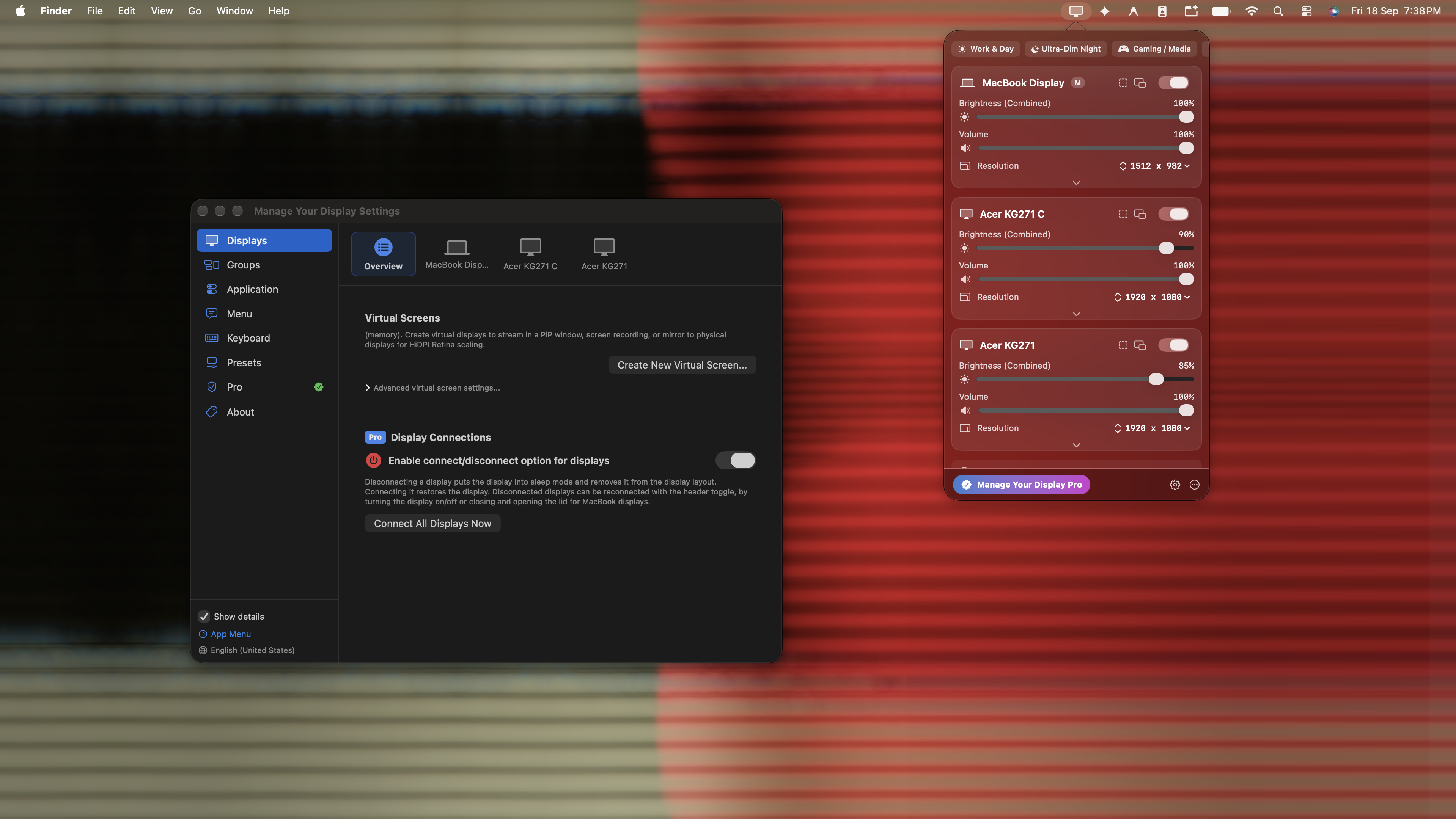
Built for power users. Simple for everyone.
Low-level I2C bus control and window-server integration with zero unnecessary bloat.
Native DDC/CI Protocol Communication
Direct I2C hardware bus control for Apple Silicon (M1/M2/M3/M4) and Intel Macs. Adjust hardware brightness, contrast, volume, input sources, and DPMS sleep over HDMI, DisplayPort, and USB-C.
Discrete Screen Power
Toggle any display ON or OFF independently without waking sleeping monitors or scrambling open windows via SkyLight window-server management and zero-gamma LUT blackout.
Underscan & Overscan Sizing
Compensate for cropped TV or projector bezels with custom 0%–25% hardware letterboxing and VCP geometry scaling.
Native Resolution & ProMotion Control
Switch resolutions, HiDPI 2x Retina modes, and high refresh rates (up to 240Hz+) instantly via a clean native dropdown menu instead of clunky sliders.
Automated Panel Intelligence
Instant mathematical calculation of screen diagonal inches, pixel density (PPI), and aspect ratio with 1-click Display P3 vs sRGB color calibration presets.
Zero Telemetry & 100% Free
No accounts, no background analytics, and no subscription paywalls. MIT licensed, private forever, with a tiny footprint under 20MB of RAM.
Native Cross-Platform Core
Engineered in Swift & AppKit for macOS, with dedicated native backends for Windows 11 (DXVA2) and Linux (ddcutil/X11/Wayland).
Direct side-by-side comparison.
See how Manage Your Display compares against leading commercial tools.
| Feature | Manage Your Display | BetterDisplay Pro | MonitorControl | Lunar Pro |
|---|---|---|---|---|
| License & Cost | Free (MIT) | $20 Paywall | Free | $23 Paywall |
| Hardware DDC/CI (Apple Silicon) | Yes | Yes | Yes | Yes |
| Discrete Display Power On/Off | Yes | Yes | No | Yes |
| Native Resolution Dropdown & HiDPI | Yes | Yes | No | No |
| Underscan & Overscan Sizing | Yes | Yes | No | No |
| Smart Panel Intelligence (PPI & Gamut) | Yes | No | No | No |
| Cross-Platform (macOS, Linux, Windows) | Yes | No | No | No |
| Multi-Monitor Presets & Group Sync | Yes | Yes | No | Yes |
Cross-platform installation.
Runs natively across macOS, Linux, and Windows.
git clone https://github.com/bhavukarora/monik.git
cd monik
./scripts/build_app.sh
open "build/Manage Your Display.app"chmod +x linux/install.sh
./linux/install.sh
python3 linux/manage_your_display_gui.pyflutter run -d windowsReady to take control?
Free and open source. No telemetry. No paywalls. No registration.